
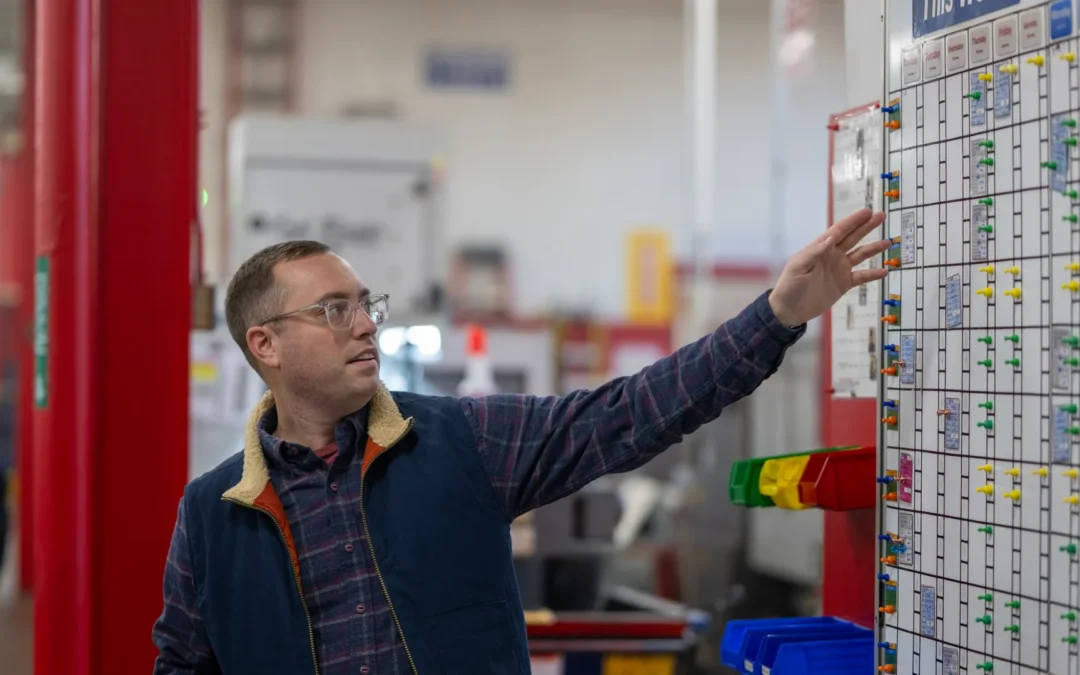
In Part 1 of this series, we made the case that every visual system trends toward wallpaper, and covered methods to design against the mechanisms of habituation. In Part 2, we laid out a framework for regular review to catch visual systems that are going stale.
In this post we highlight four visual systems from our own shop floor, which illustrate how ownership, interactivity, and design for the user keep visual systems fresh.
Examples from Micron’s Shop Floor
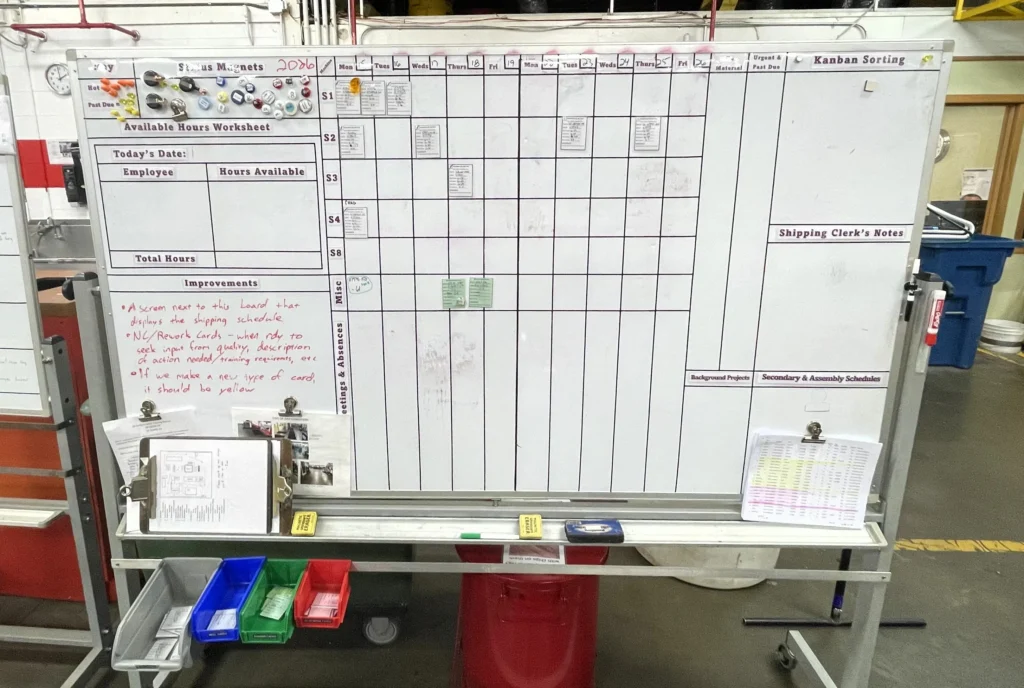
Production Schedule Boards
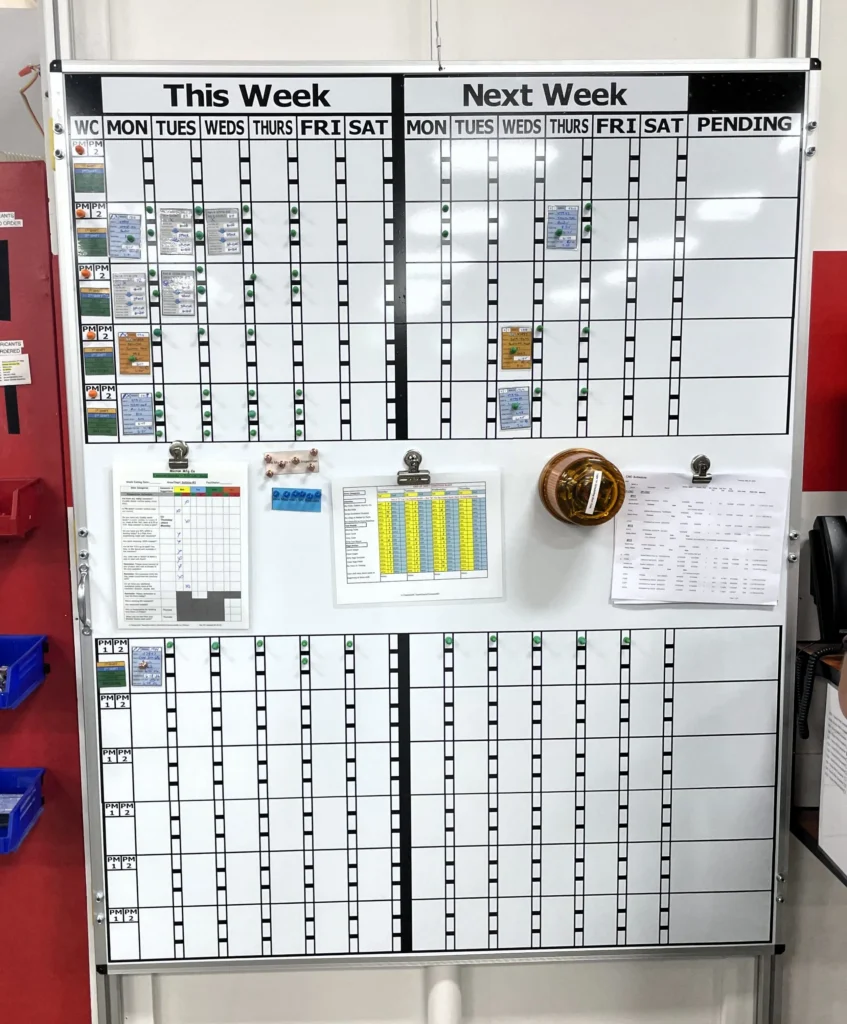
The production schedule board may be the highest-stakes visual system in a CNC job shop. When it’s right, it eliminates unforced errors in scheduling, unlocks flexibility to respond to customer rush orders, and drives efficient arrangement of setups and runs.
The CNC team lead is responsible for scheduling, but each machinist has a role to play in updating the board throughout the day. Quality uses the board as well, creating documentation in advance of the production run.
Each job card carries the information most pertinent to CNC scheduling: job number, part number, customer, run and setup hours, the deadline to reach the next operation, and the to-customer deadline. Shift information for each run ensures the hours on the board match the reality of who’s actually on the floor.
Exceptions stand out. Late orders, holds, and stop notices are flagged visually so they don’t require anyone to read through fine print to find them. Rather than sit at the bottom, the reference sheets that support this schedule live in a gap across the board’s median — at eye level.
Total Productive Maintenance (TPM)
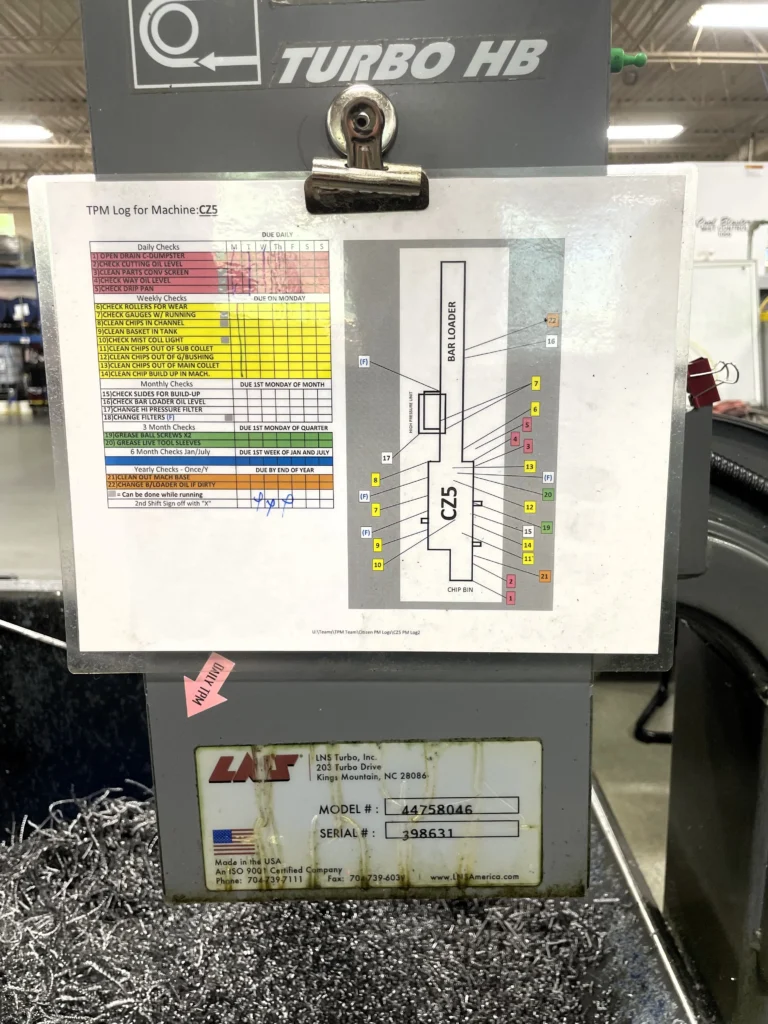
The value of TPM lies entirely in consistency, and consistency requires more than good intentions. It requires a system that prompts the work, specifies the work, and verifies the work.
We split these functions across two layers, using the main production board as the initial prompting tool, which includes TPM tracking per shift. This means production workers are prompted to complete their PMs as they check the schedule at shift start. The team lead can also confirm at a glance whether maintenance was completed for each machine.
The work specification lives at the machine. Each TPM log is a dry-erase checklist specific to that piece of equipment, laid out by frequency — daily, weekly, monthly, quarterly, yearly — with tasks isolated in step-by-step order. An overhead diagram of the machine shows where each task is performed, and arrow tags on the machine itself provide a secondary visual callout. The log tells the operator what, when, and where with as little interpretation as possible.
A maintenance department audit closes the loop. Because the log is dry-erase, the maintenance department can check completion and wipe for the next cycle without the log accumulating layers of old data. Each machinist owns their checklist, while maintenance owns erasing it once the audit is performed.
Logistics and Material Tracking Boards
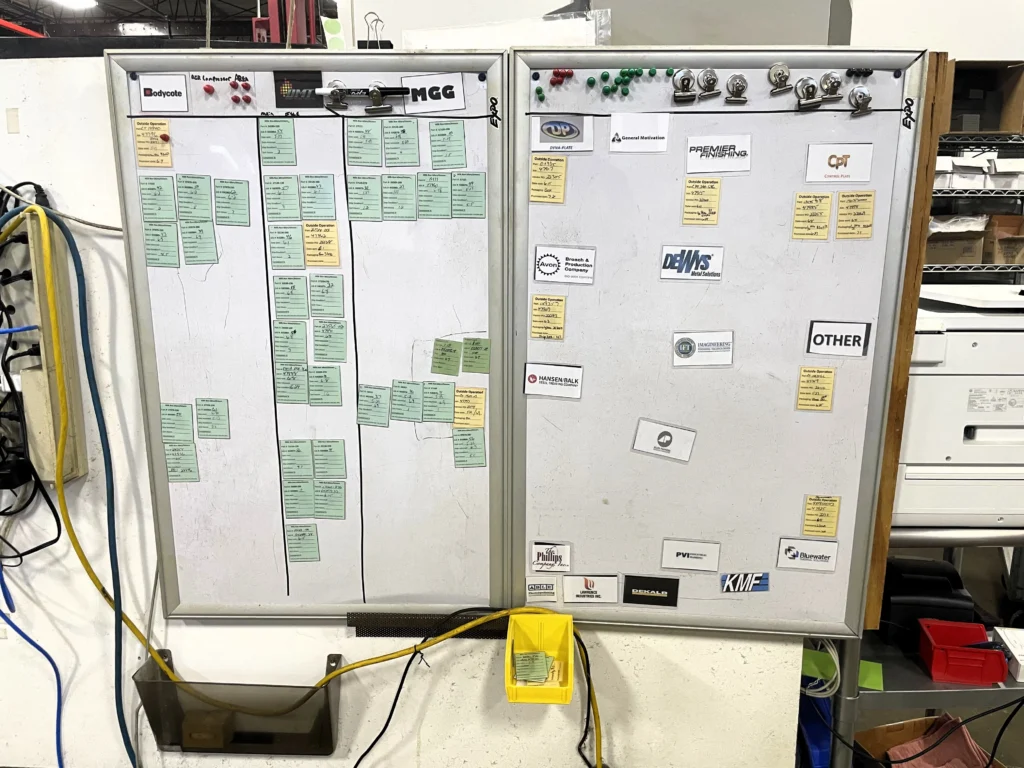
While our logistics board runs on a card system similar to what we have in production, this one is customized to the demands of the shipping department.
The core challenge of logistics tracking is managing orders that are physically outside the building. With orders at outside processing vendors, potentially on a multi-leg journey, the obvious physical cues (you can see the part, you can check the machine) don’t exist. When did the parts go out? When are they due back? What other orders do we have at the same vendor? Without a strong visual system, outside ops tracking runs on memory.
This board is owned by the shipping specialist and ties the paper trail — bills of lading, order confirmations, POs — to a card system calibrated to the needs of logistics. Each card answers the questions that matter for outside operations at a glance: which orders have gone out, who’s processing them, when did they leave, when are they due back. Thumbtack markers flag late orders and ASAP status so exceptions surface immediately without scanning the full board.
The design also accounts for what happens when parts come home. Cards transfer from the outside ops board to a receiving inspection board where Quality can easily check for new arrivals, and from there to the sort schedule board if applicable. That continuity matters — it means the visual trail doesn’t break when the order crosses back through the dock door.
Sort Schedule Board
Our sort schedule board has to account for two constraints: a variable pool of operators and a fixed number of workstations. The board also has to forecast operator time needed per week to meet shipment deadlines. When that need exceeds the time dedicated sort personnel can cover, the shop knows to assign additional production workers.
An operator viewing this board must be able to quickly interpret which sort is most urgent and assign themself to the highest priority task for which they are trained. The owner, the shipping specialist — who also owns the outside ops board above — must be able to manage workstation constraints and earmark tasks for specific operators based on their job training.
Color-coded cards denote whether the job is part of a spot buy production schedule, stocked inventory program, unscheduled non-conformance sort, or a miscellaneous pre-shipment task. Pins with initials of trainees allow for earmarked assignments.
A Living Work
The examples presented above are far from the entire catalog of our visual systems. However, we picked these as examples that showcase what we strive for at Micron — boards designed for long-term visibility and usefulness, a culture of self-evaluation and reimagining, and individual systems that work together as a greater whole.
In the spirit of this series, we’ll say plainly in closing: none of these systems are finished. The discipline of continuous improvement means that we endeavor to constantly evaluate and improve what we have. Wallpaper isn’t a problem we’ve solved so much as one we keep choosing to fight. We hope some of the takeaways offered here prove useful in your efforts as well.
Recent Comments